Owner's Quick Guide
As a property owner, you can create tickets and keep track of maintenance across your properties using the FixMate Reporter app. To learn more about creating and tracking tickets, check out the Reporting Quick Guides.
Viewing tickets for your properties
You can see all maintenance tickets for properties you own which are supported by FixMate. This enables you to stay informed and know what’s going on in your properties.
How to view tickets for properties you own:
Log in to your FixMate account by navigating to fixmate.app in the browser of your mobile device. (Tip: add a shortcut to your home screen for easier access.)
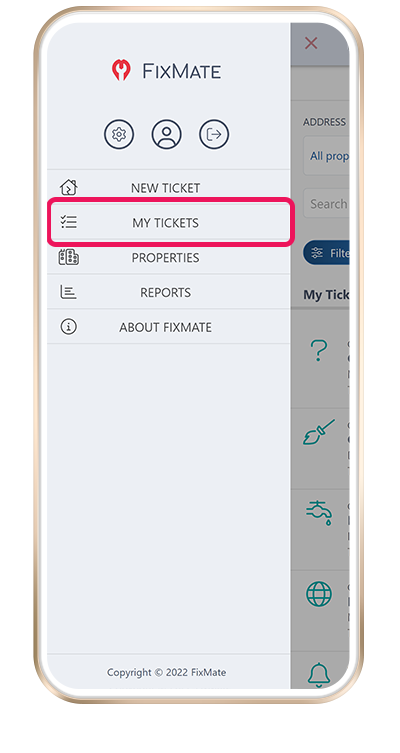
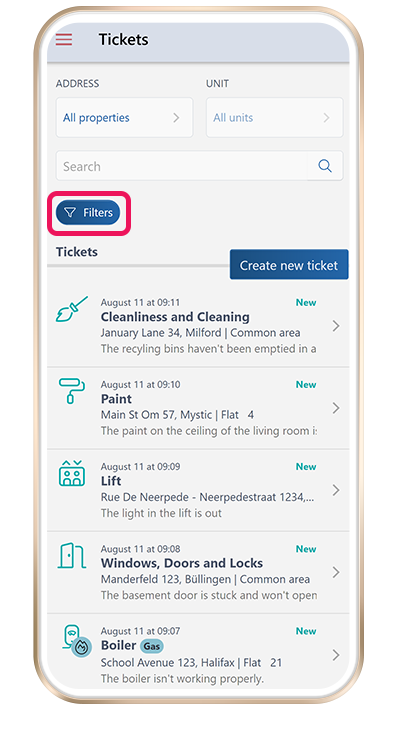
The Tickets page appears upon login. You may also navigate to this page by selecting My Tickets from the menu.
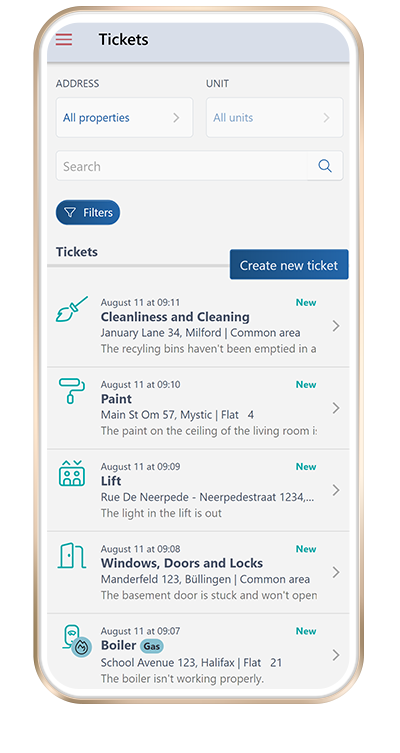
The Tickets page shows a list of all tickets associated with your account. This includes tickets you have created as well as tickets for any properties you own.
Open a ticket to view the ticket details, including the name of the reporter, a description of the issue, and any photos which have been added.
Filtering tickets
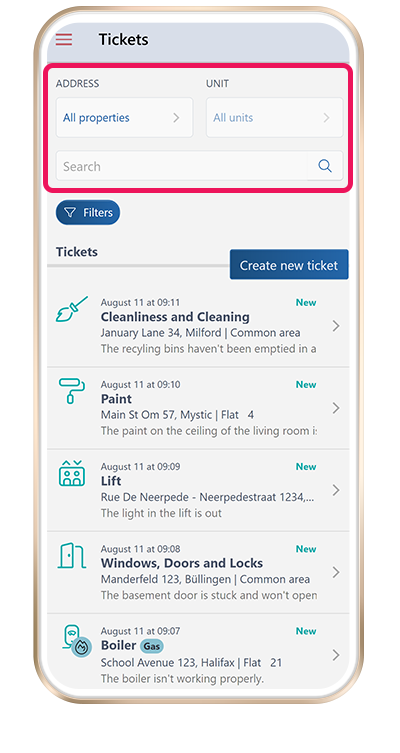
Tickets are sorted by date with the newest tickets first. You may filter the list of tickets by selecting an address and unit from the dropdown list or by typing in a search term.
Tap on Filters to choose additional filters to apply.
Reports and statistics
You can view reports and statistics regarding maintenance across your properties.
Log in to your FixMate account and select Reports from the menu.
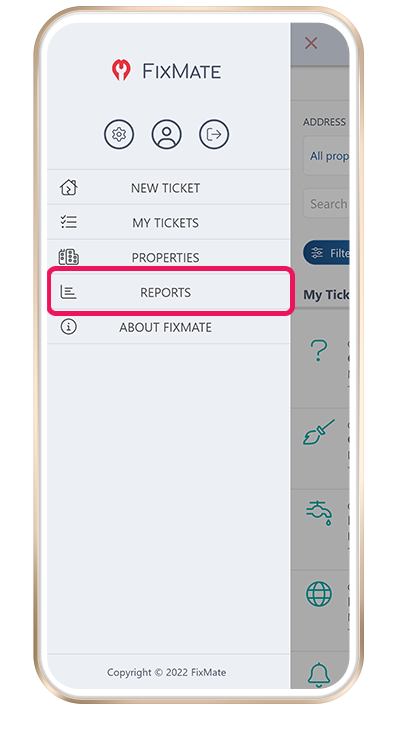
- Note: If you don’t see Reports in the menu, you have not been set as the verified owner of any properties. You may wish to contact your property manager to request that they set you as the verified property owner.
- You can see which properties have been assigned to your account by selecting Properties from the main menu.
Types of Reports
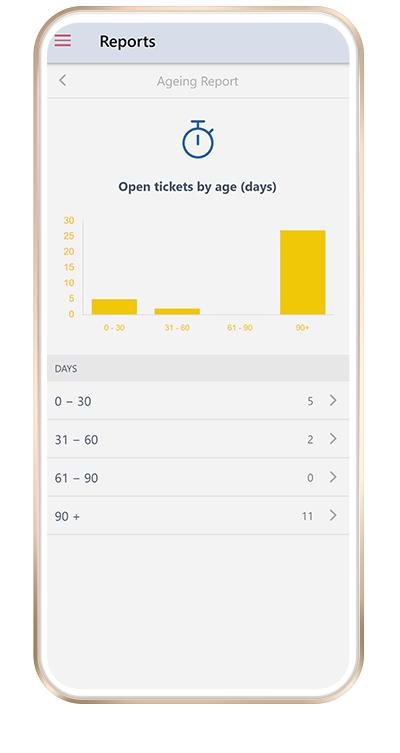
- The ageing report shows open tickets for properties you own, grouped by age (the number of days since creation).