Managing staff accounts
Add team members
You can add as many team members as you want to your FixMate Management account.
To add a new user:
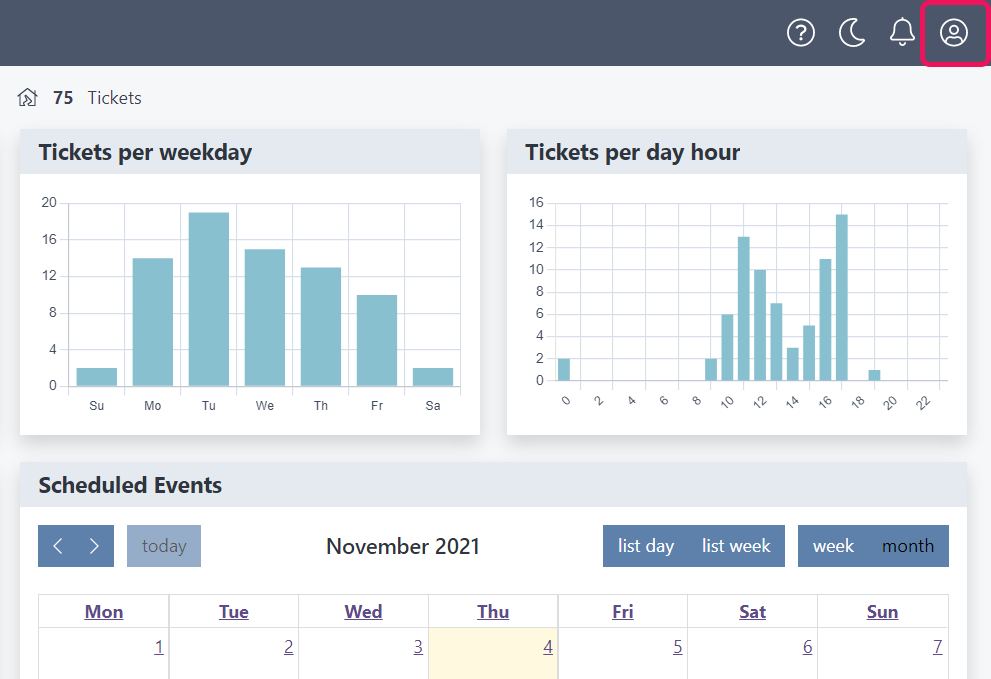
- Log in to FixMate Management and click the profile icon in the upper right corner.
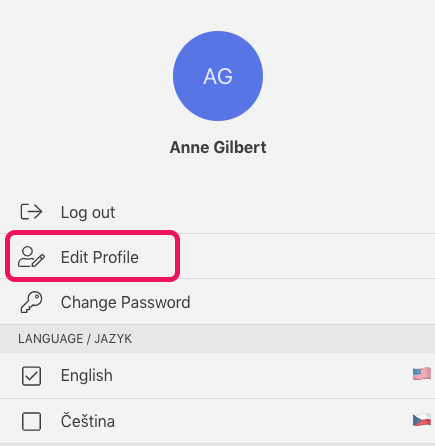
- Select Edit profile. You will be redirected to the account management page.
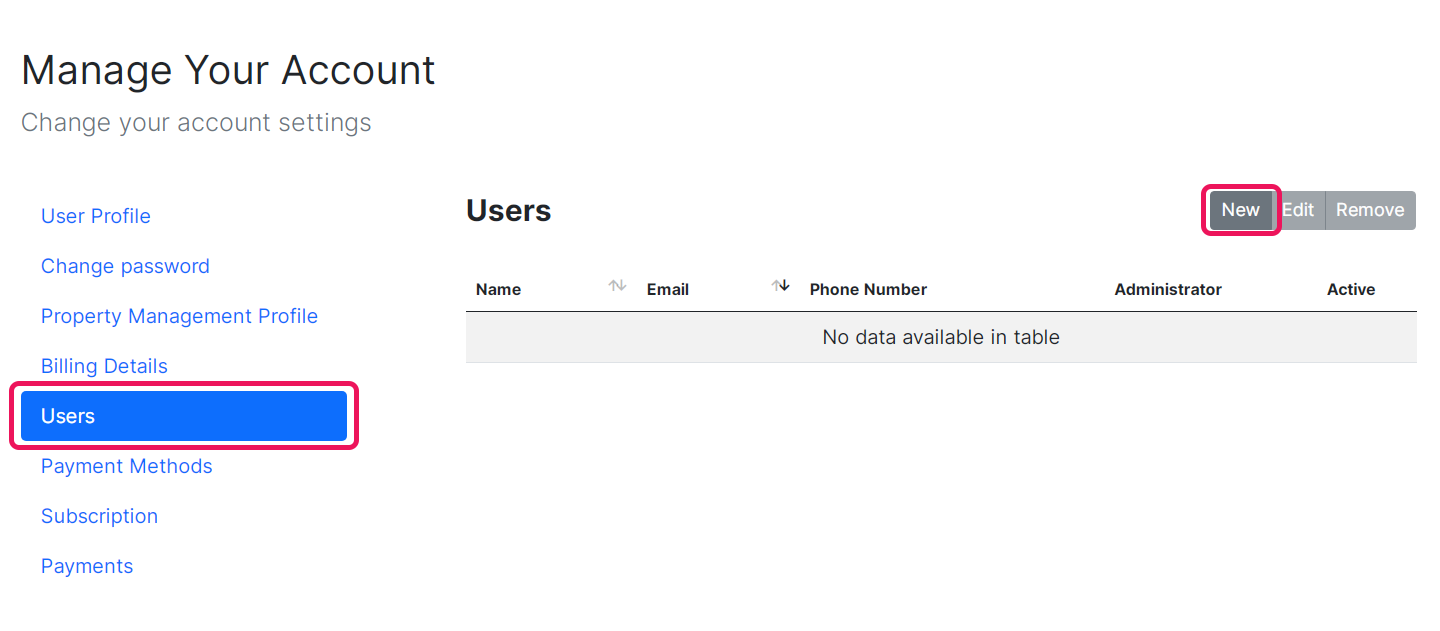
- Select Users from the menu on the left, then click New at the top of the list of users.
- Enter the name and email of the new user and create a password for them (the password can be changed later).
- Toggle whether or not the user has administrator privileges.
What's an administrator?
An administrator can:
- Make changes which affect billing (add properties and units, modify the subscription, change the payment details).
- Add, edit, and remove other managers' accounts, including your own.
Non-administrator accounts (active) can perform all actions related to managing tickets. They cannot add new properties or change the subscription price in any way. :::
Edit a user’s details
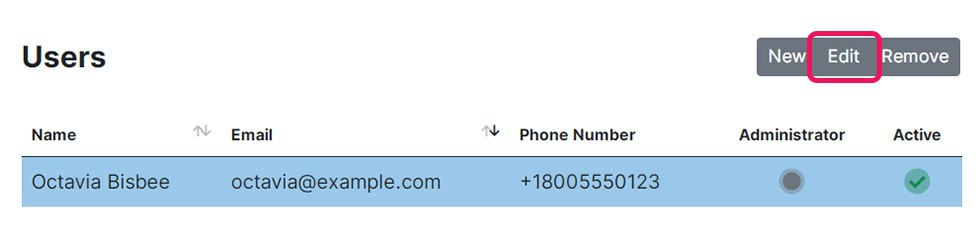
Select the user from the list, then click Edit. This allows you to change the user’s name, email, password, account language, and administrator privileges.
Remove a user
Select the user from the list, then click Remove. You’ll be prompted to confirm this decision before it is final.
Removing a user does not delete their account, but it means they can no longer access FixMate Management. They can use the FixMate Reporter app as a reporter only.
Note
If you remove a user, they cannot be given access to FixMate Management again using the same email address.