Getting Started
Types of user accounts
Property managers and staff
- Have access to the FixMate Management application
- Can report, manage, track, and analyze maintenance tickets
- Can communicate with tenants, repairers, and owners
- Can assign a repairer to a ticket
Tenants/residents
- Can report issues and communicate with management personnel using the FixMate Reporter app
- Can track the progress of their tickets and see an archive of their reported tickets
Repairers (in-house)
- Can report issues and communicate with management personnel using the FixMate Reporter app
- Can add photos to a ticket at any stage of the repair process
Contractors
- Do not need to have a FixMate account
- Can add photos and comments to a ticket using a link provided by a manager
Property owners
- Can report issues and communicate with management personnel using the FixMate Reporter app
- Can track the progress of their tickets and see an archive of reported tickets
- Can see an overview of all tickets across their owned properties, including ticket details and statistics
Anyone can create a ticket to report a problem or maintenance issue on the property, even if they are not connected to the property.
See the reporter’s quick guide or FAQ: How does reporting work? to learn more.
How it works
The FixMate system is made up of two apps:
FixMate Reporter
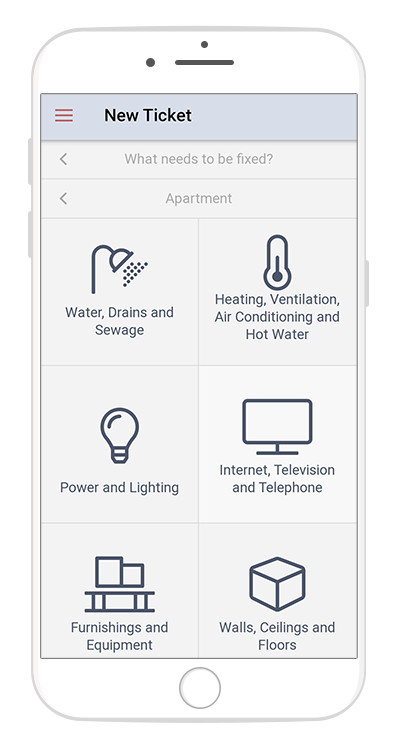
- The FixMate Reporter app is designed to be used primarily on a mobile device such as a smartphone or tablet. It is a web app (accessed within a browser at fixmate.app), so it requires no download and will always be up-to-date with the latest version. The only thing required is an internet connection.
- The app is primarily used by tenants/residents, maintenance persons, and property owners. It can also be used by guests or visitors to the property. Management personnel can also use FixMate Reporter to quickly report maintenance issues on the go.
- A reporter can use the app to report a problem or maintenance issue within the property. If they have created their free FixMate account, the reporter can track the status of their request and communicate with the responsible person within management.
- To learn more about using FixMate Reporter, see the quick guides for reporters.
FixMate Management
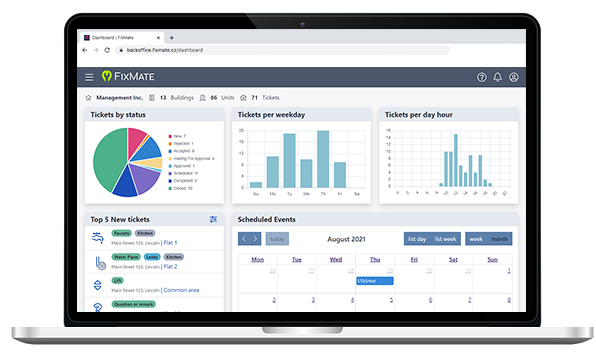
- The management application is designed for property managers and staff. It is optimized for use on a desktop computer or tablet.
- The application allows the property management team to manage maintenance tickets, track ticket status, communicate with the reporter, schedule repairs, and more.
Navigating FixMate Management
The FixMate Management application is split into 4 main sections.
Dashboard
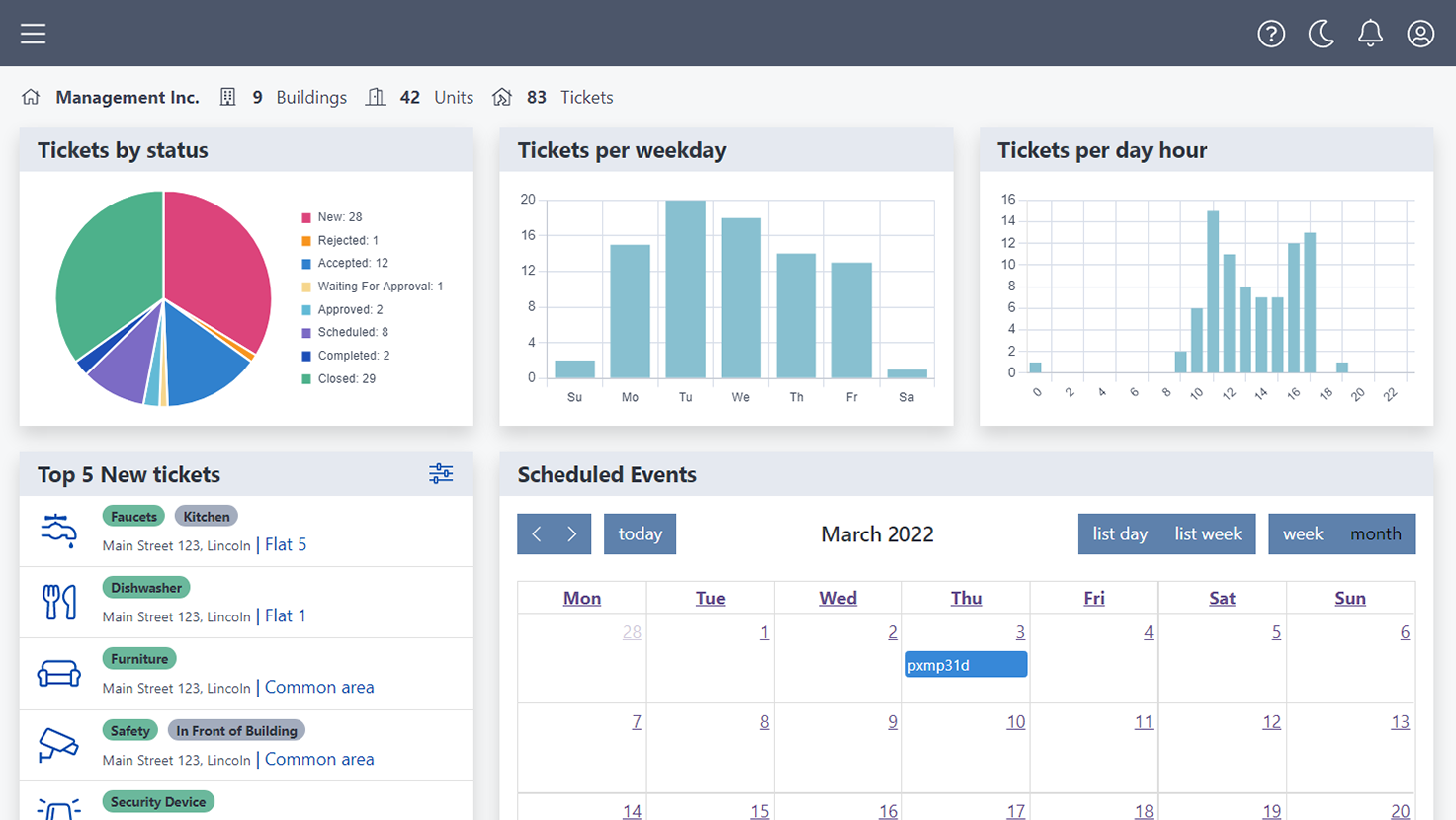
The Dashboard offers an overview of recent tickets, statistics, and a calendar of scheduled events. Your Dashboard will fill up as you receive new tickets.
Tickets
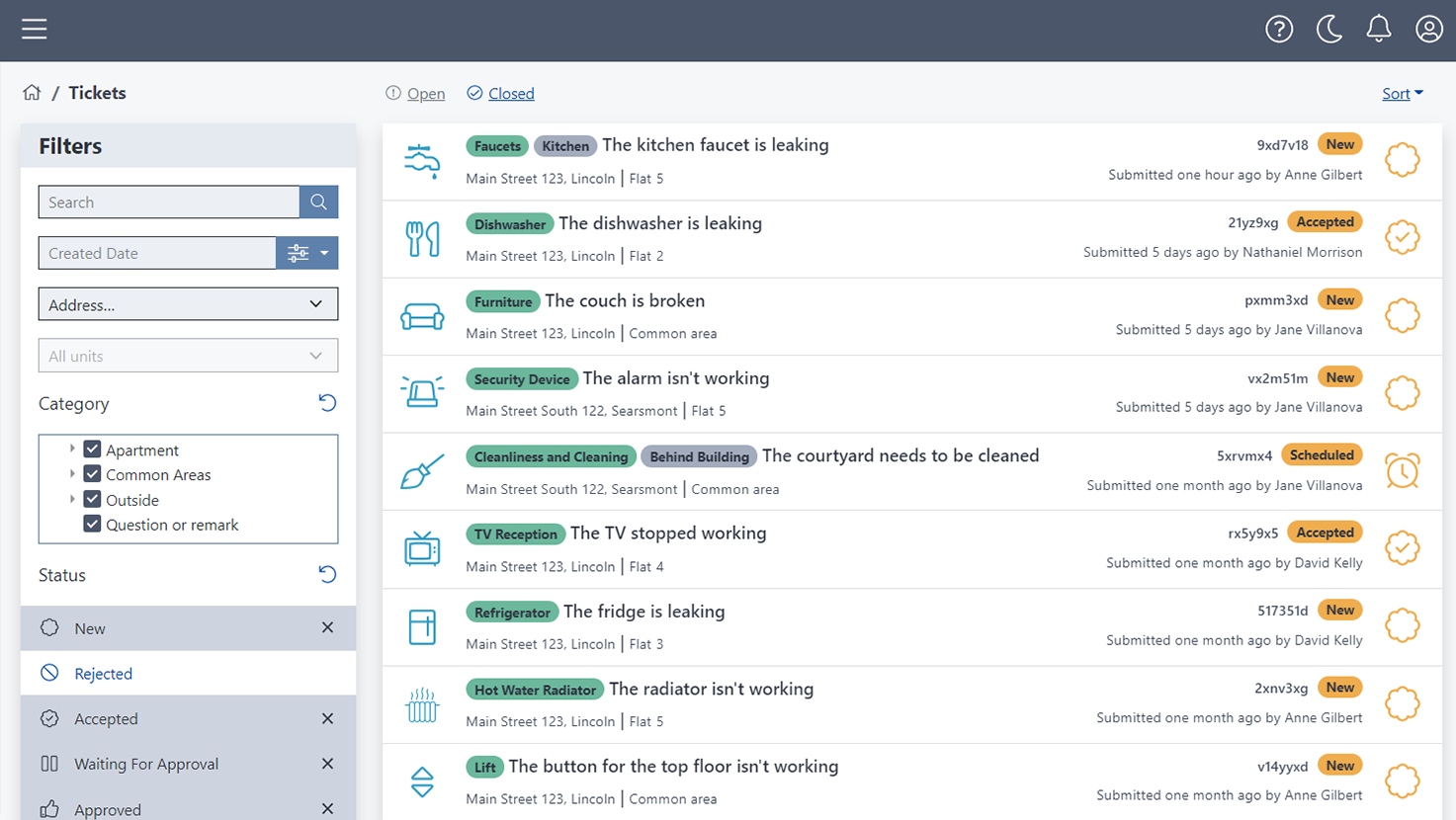
The Tickets page shows you a list of all tickets. The default view shows all open tickets. You can filter and sort the tickets by status, date, or address.
Click on a ticket to see the ticket details page and manage the ticket. On the ticket details page you can change the status, add photos, communicate with the tenant, schedule a repair, and see a timeline of events for that ticket.
Properties
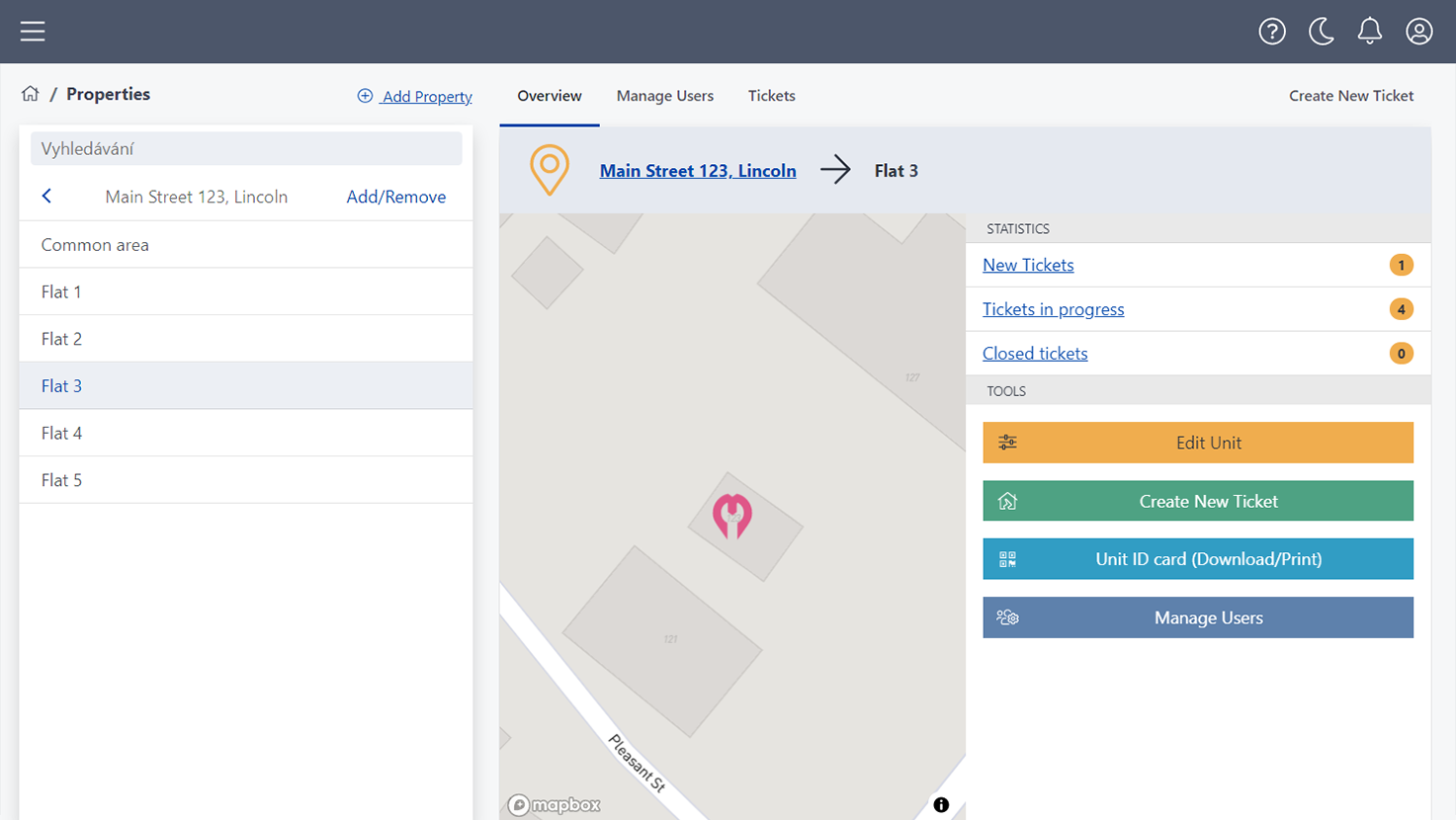
The Properties page allows you to manage your properties. This is where you can add new properties, add units, and manage users for each property (including tenants and maintenance workers).
Reports
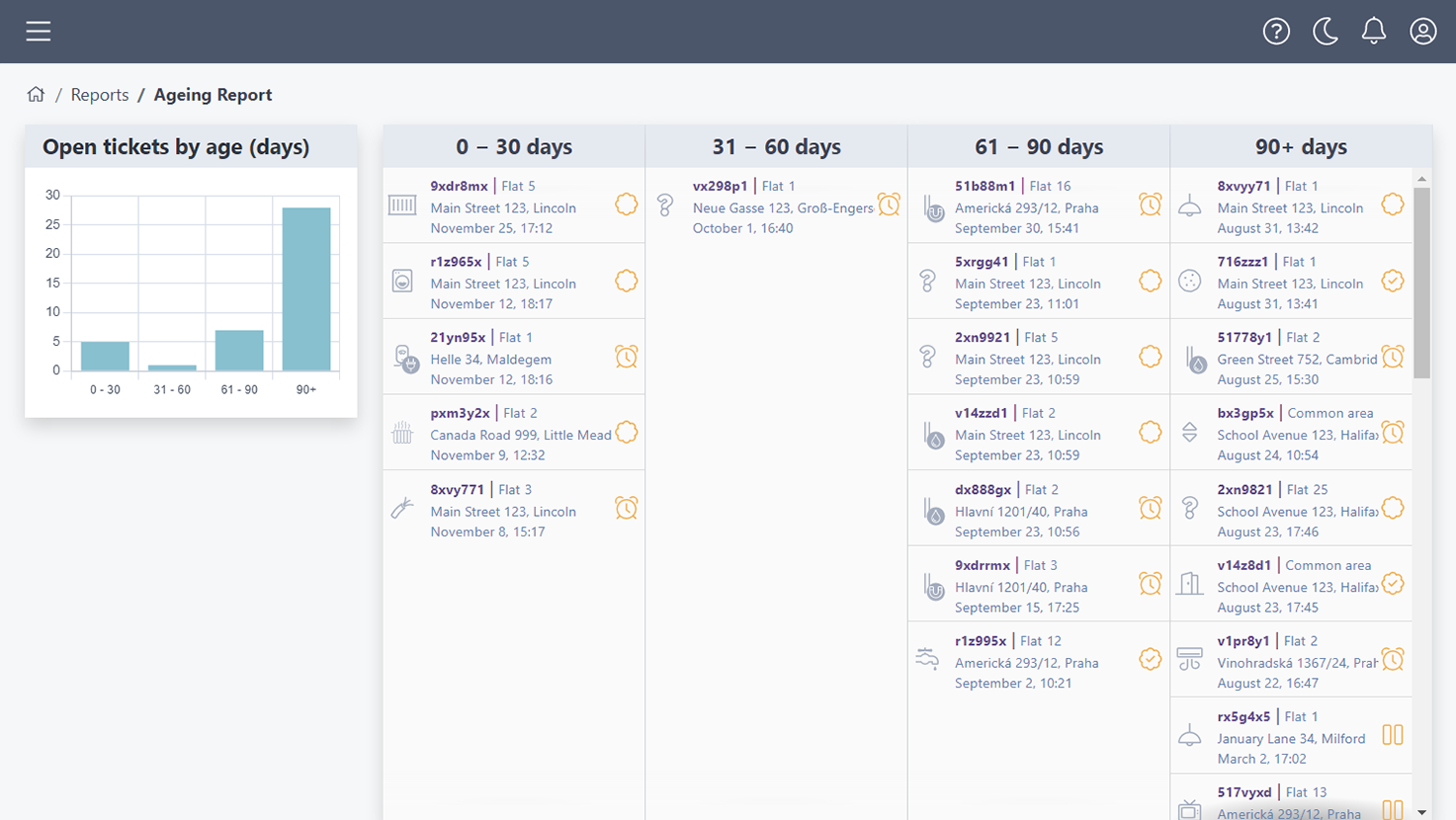
The Reports page features statistics for the maintenance tickets across your properties.